What do you need to withdraw via Lightning to ZBD?
- Google or Apple loginon your CloudMineCrypto account
- Verified emailthe app sends the link
- At least 0.00000010BTCthe Lightning minimum
- The ZBD appinstalled and backed up
Get ZBD from its official site. It gives you a Lightning address (name@domain) or a Lightning invoice (starts with lnbc). Identity verification may be needed for some withdrawals. Terms apply.
How to withdraw to ZBD via Lightning, step by step
Screenshots of ZBD and of the CloudMineCrypto app. Wallet apps redesign now and then, but the menu names usually stay the same.
- 1
Install ZBD
Download the ZBD app from its official site if you don’t have it yet.
- 2
Copy your receiving address from ZBD
Follow the app’s setup until you reach its main screen, like the one below.
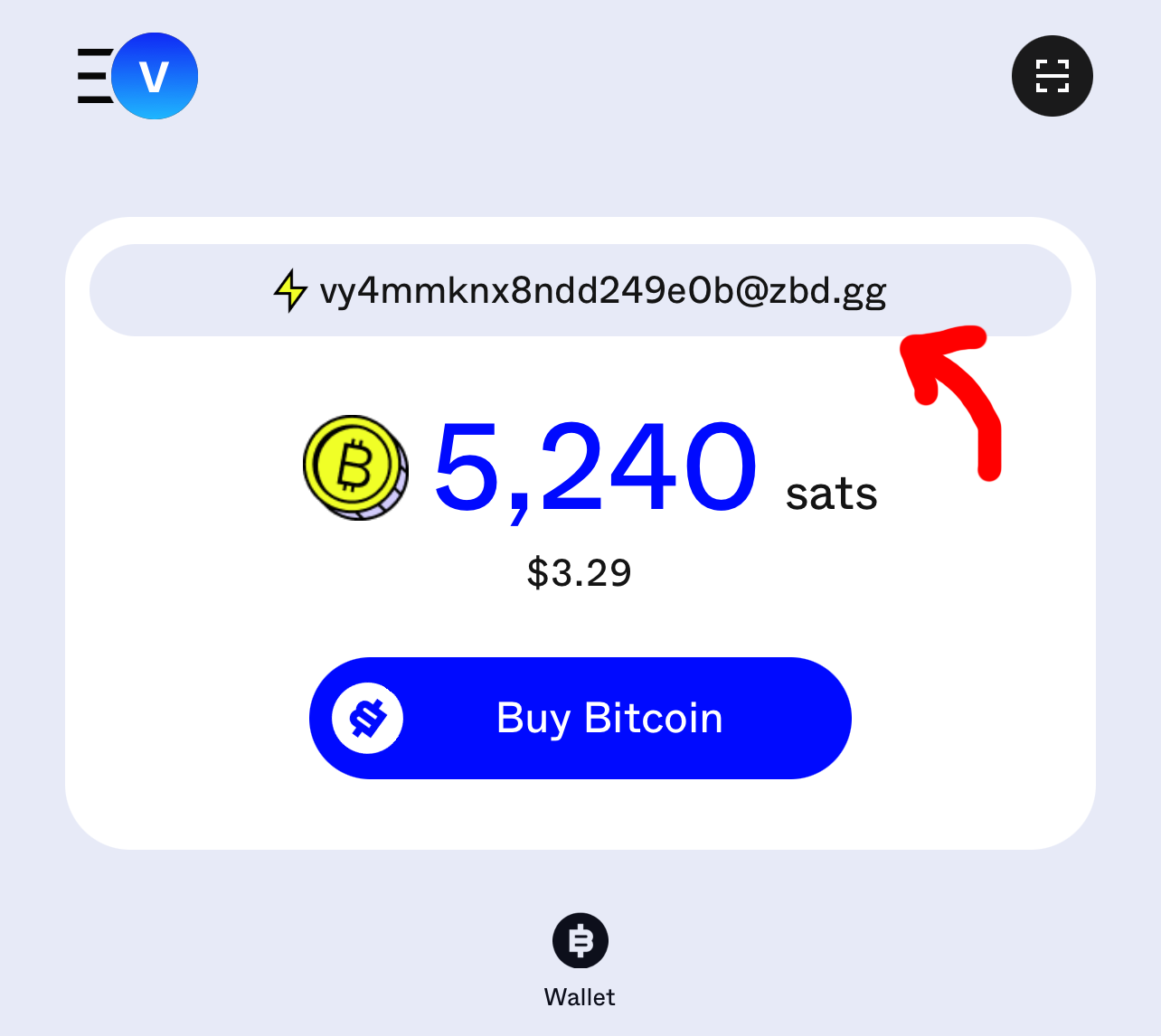
Tap the highlighted area to show your address. 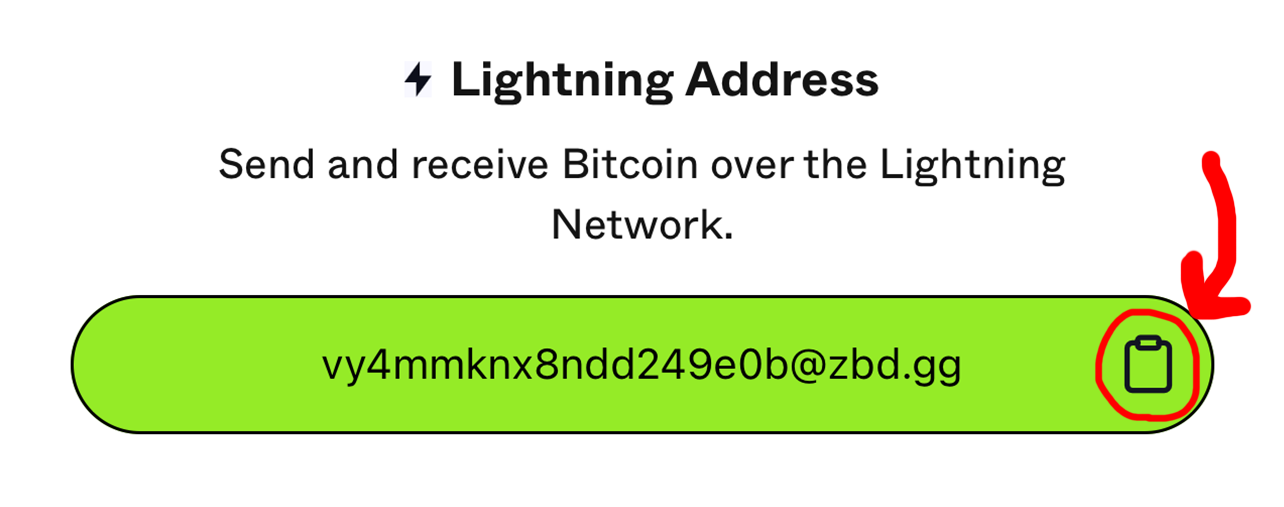
Follow the highlighted steps to reveal and copy your wallet address. This is the address your withdrawal goes to. Copy and paste it rather than typing it, so it’s exactly right.
- 3
Send it from CloudMineCrypto via Lightning
Screens from an earlier version of the app, so yours may look different. The balances shown are examples.
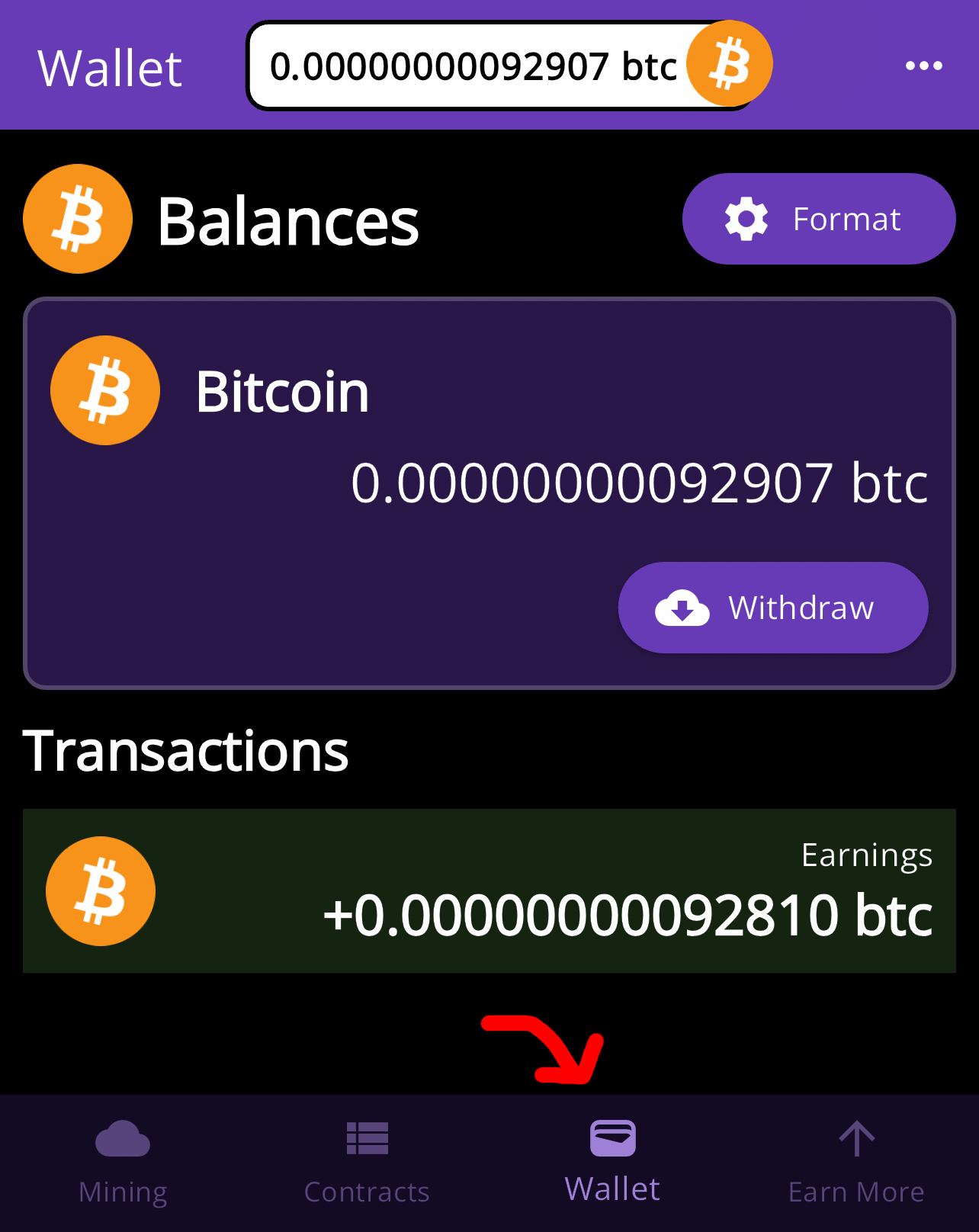
In the CloudMineCrypto app, open the Wallet tab. 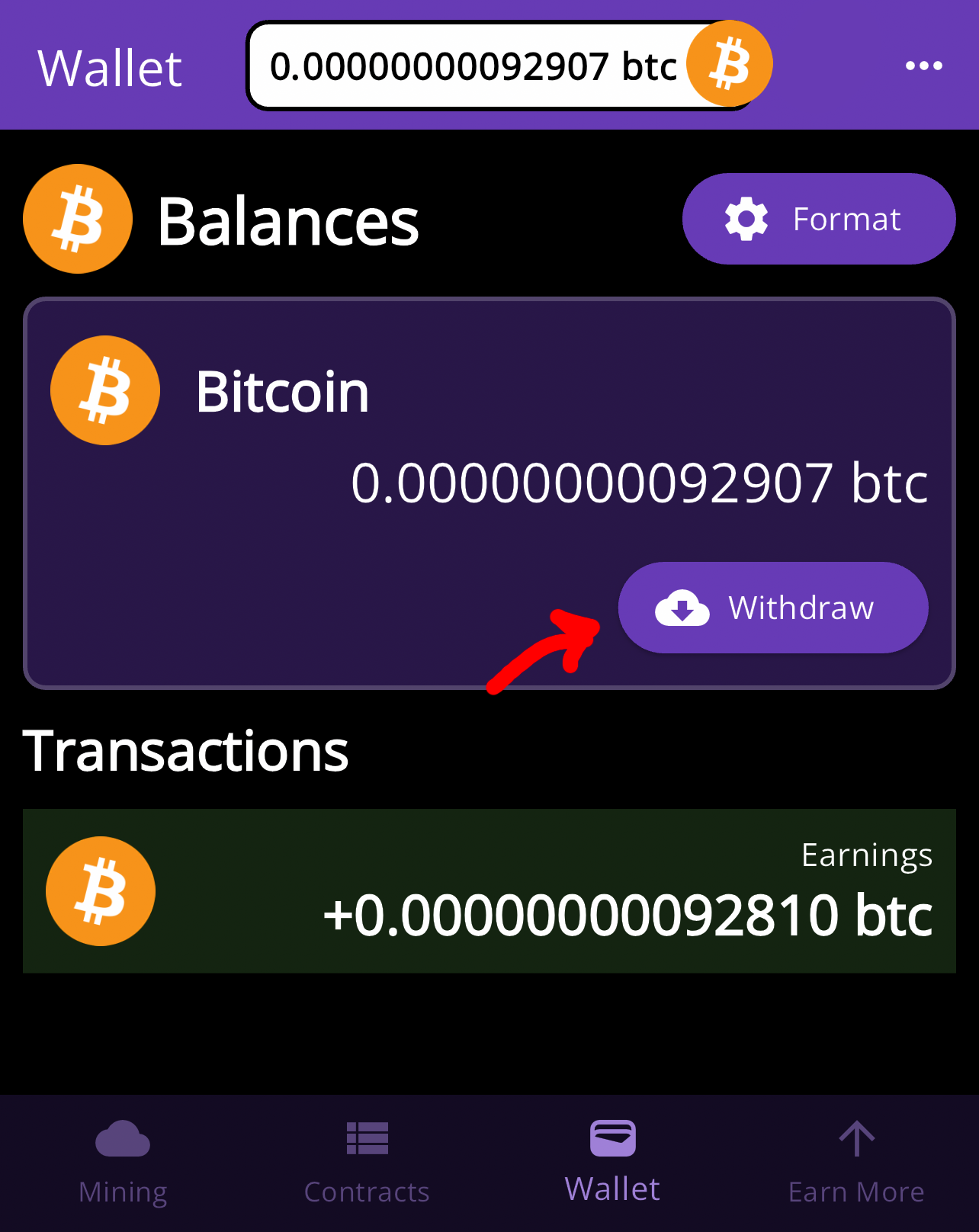
In the Wallet tab, tap Withdraw. 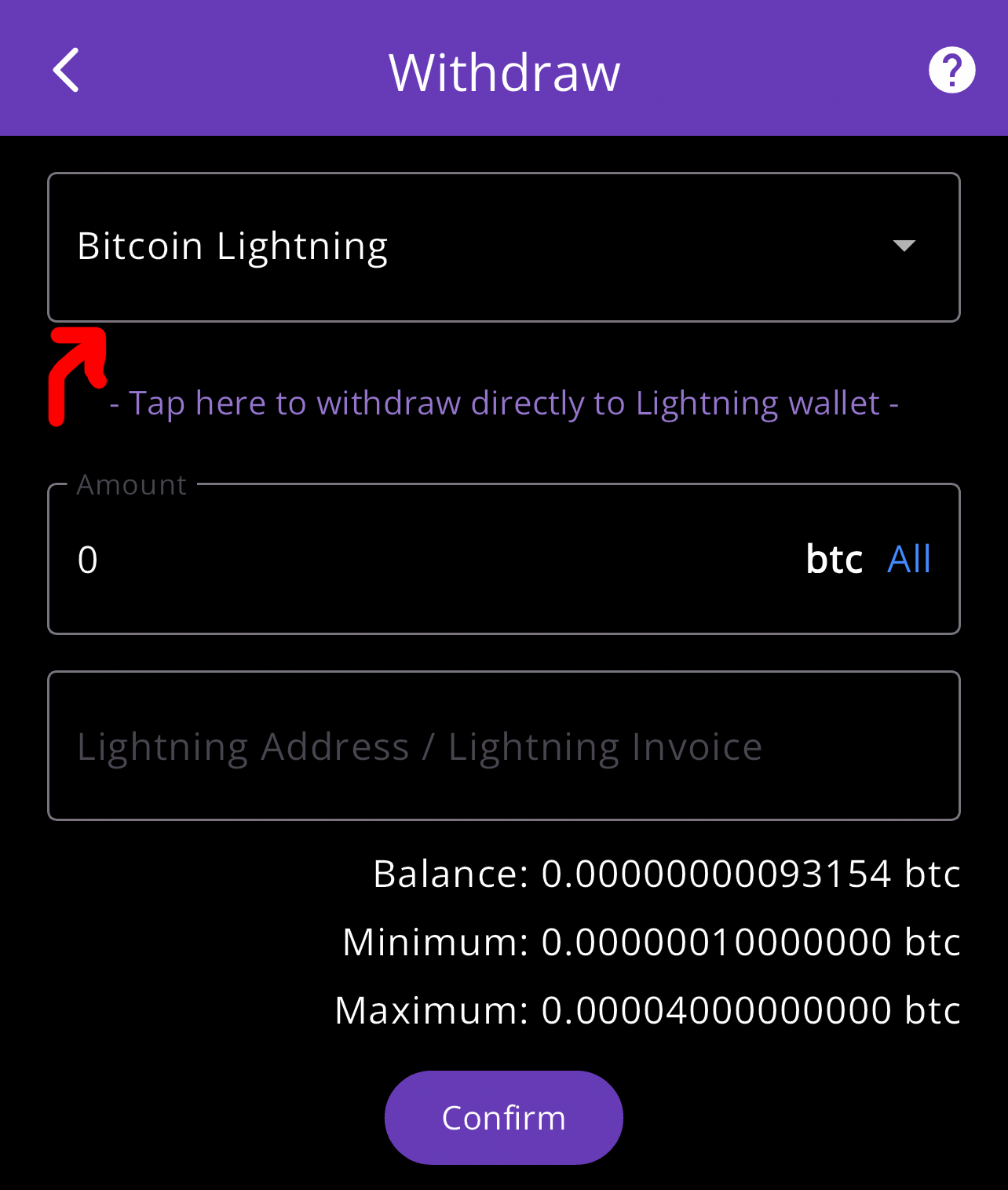
On the Withdraw screen, choose Bitcoin Lightning as the network. 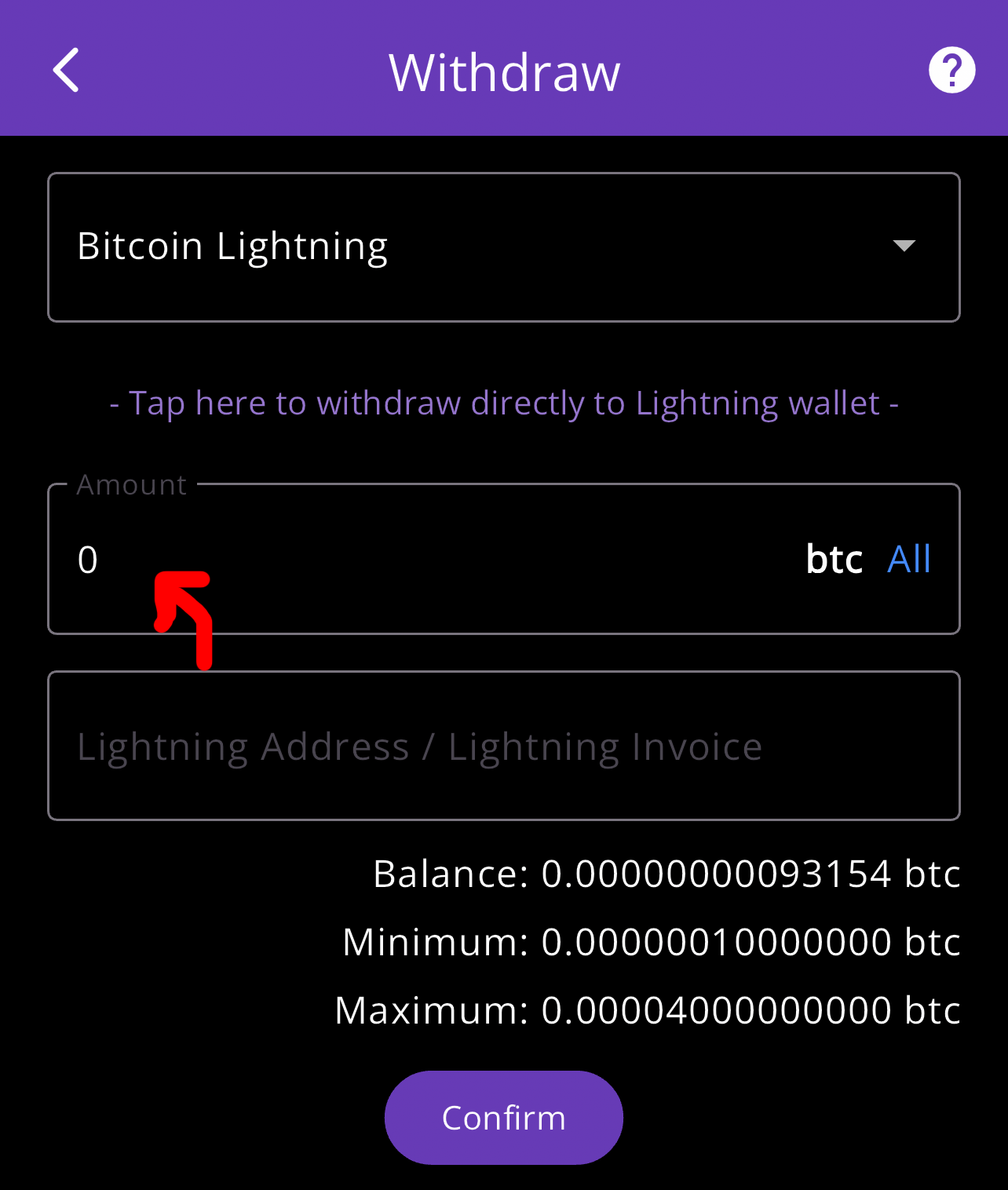
Enter the amount to withdraw. It has to be between the minimum and maximum shown under the field. 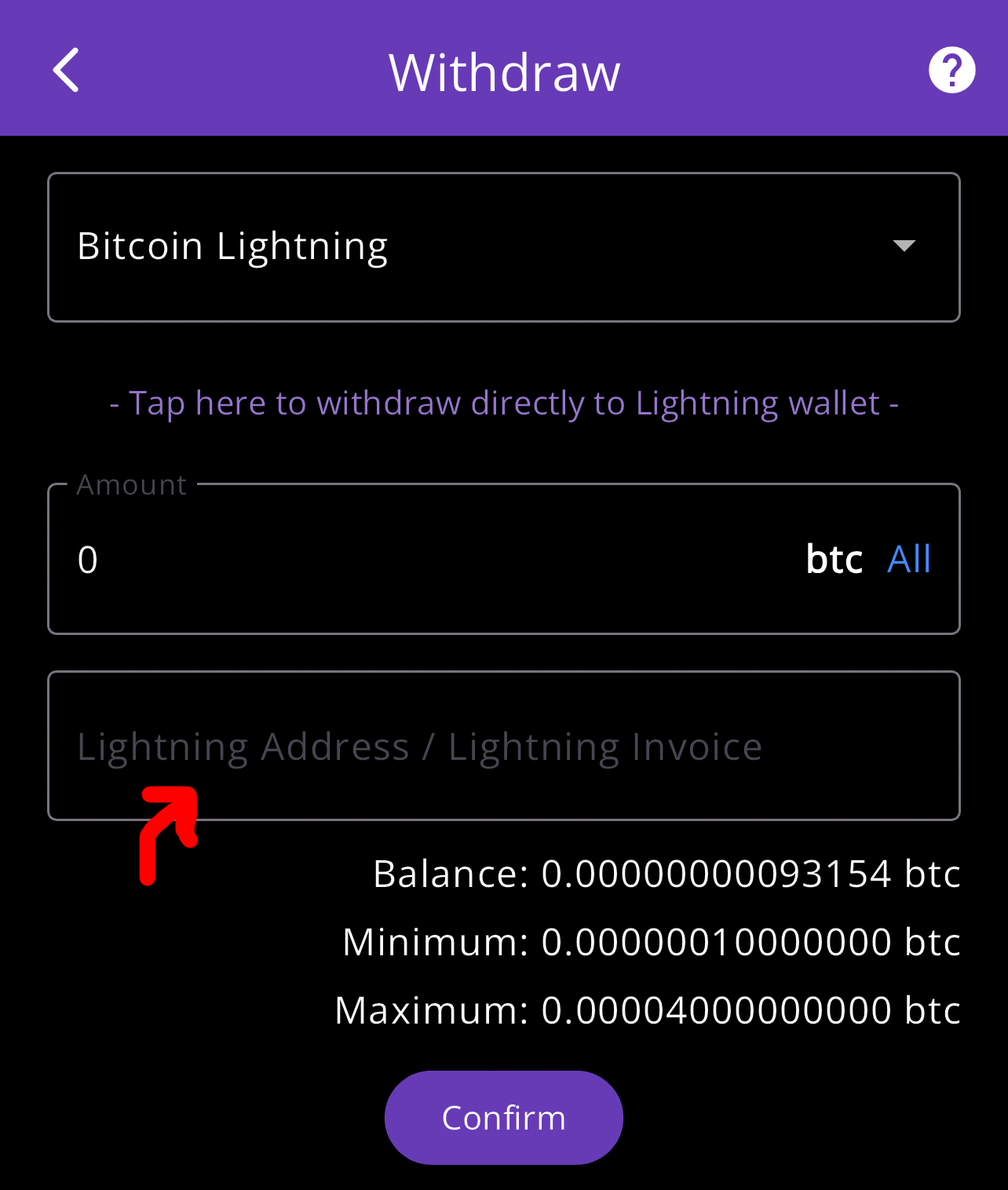
Paste the address you copied into the address field. Tap Confirm to submit your withdrawal request. It’s processed once validated (see “What happens after you confirm” below).
What should you select in ZBD?
| In ZBD | In CloudMineCrypto | |
|---|---|---|
| Screen | Receive | Wallet → Withdraw |
| Coin | Bitcoin (BTC) | Bitcoin (BTC) |
| Network | “Lightning”, “Lightning Network” or “BTC (Lightning)” | Bitcoin Lightning |
| What to copy / paste | a Lightning address (name@domain) or a Lightning invoice (starts with lnbc) | Paste it into the Lightning Address / Lightning Invoice field |
Definition · Lightning invoice
A one-time payment request, starting with lnbc, that can include a fixed amount and usually expires after a set time. A Lightning address (name@domain) works like a reusable email-style address instead.
If ZBD offers a Lightning address, it is the easiest option: it doesn’t expire and works for any amount within the limits. An invoice works too, but it must match the amount and can expire. Lightning withdrawals have a maximum of 0.00004000BTC per request.
What happens after you confirm?
Your request is validated first. Most are processed automatically; some wait for a manual review (limits, anti-abuse checks or identity verification), which takes longer. Once sent, a Lightning payment usually arrives in seconds.
Why isn’t my Lightning withdrawal to ZBD working?
- “Below minimum amount”: the minimum for Lightning is shown under the amount field (currently 0.00000010BTC). Keep mining or check back once your balance is higher.
- “Invalid address”: copy it again from ZBD and check it is a Lightning address (name@domain) or a Lightning invoice (starts with lnbc).
- Invoice expired or amount mismatch: create a new invoice in ZBD; if it has a fixed amount, withdraw exactly that.
- Received less than requested: the network fee (0.00000005BTC) is deducted from the amount sent. Compare amounts in the same unit (BTC vs sats).
- Email or login errors: verify your email from the button next to the error, or add a Google or Apple login.
Still stuck? Email [email protected] with the network, wallet and time of the request.
Other withdrawal guides
New to withdrawing? The complete withdrawal guide compares the networks and explains exchange vs self-custody wallets.
Frequently asked questions
How do I withdraw from CloudMineCrypto to ZBD?
Copy your Lightning address or invoice from ZBD, then in CloudMineCrypto open Wallet → Withdraw, select Bitcoin Lightning, paste it, enter the amount and confirm.
What is the minimum Lightning withdrawal?
The minimum is currently 0.00000010 BTC (it can change with network conditions). The withdraw screen always shows the current minimum, maximum and fee before you confirm.
Which network should I select in ZBD?
Select "Lightning", "Lightning Network" or "BTC (Lightning)". It must be the same network you choose in CloudMineCrypto, or the funds may be lost.
How long does a Lightning withdrawal to ZBD take?
Most requests are processed automatically once validated; some need a review first. Once sent, Lightning payments usually arrive within seconds.
Is ZBD affiliated with CloudMineCrypto?
No. ZBD is an independent third-party wallet with its own terms, fees and availability. It is used here as an example destination.
Sources and further reading
- BOLT 11: Invoice protocol for Lightning payments · Lightning Network specifications
- Understanding Lightning invoices · Lightning Labs
- Lightning Address · lightningaddress.com
- Lightning Network · Bitcoin Wiki
- Choose your Bitcoin wallet · bitcoin.org
- Secure your wallet · bitcoin.org
Live figures on this page come from the CloudMineCrypto API or from the public blockchain data services named next to them, refresh on a schedule, and are labelled where they appear. This guide is educational and not financial advice. CloudMineCrypto is not an investment product; rewards in the app are estimates and aren’t guaranteed.
You’ve read how it works. Now watch it happen.
Claim a free 8-hour mining plan in the CloudMineCrypto app and see your estimated BTC tick up from live network data. No hardware, no card.