What do you need to withdraw via BNB Smart Chain (BEP-20) to Trust Wallet?
- Google or Apple loginon your CloudMineCrypto account
- Verified emailthe app sends the link
- At least 0.00003106BTCthe BNB Smart Chain (BEP-20) minimum
- The Trust Wallet appinstalled and backed up
Get Trust Wallet from its official site. It gives you a BNB Smart Chain address (starts with 0x). Identity verification may be needed for some withdrawals. Terms apply.
How to withdraw to Trust Wallet via BNB Smart Chain (BEP-20), step by step
Screenshots of Trust Wallet and of the CloudMineCrypto app. Wallet apps redesign now and then, but the menu names usually stay the same.
- 1
Install Trust Wallet
Download Trust Wallet from its official site if you don’t have it yet.
- 2
Copy your receiving address from Trust Wallet
Follow the app’s setup until you reach its main screen, like the one below.
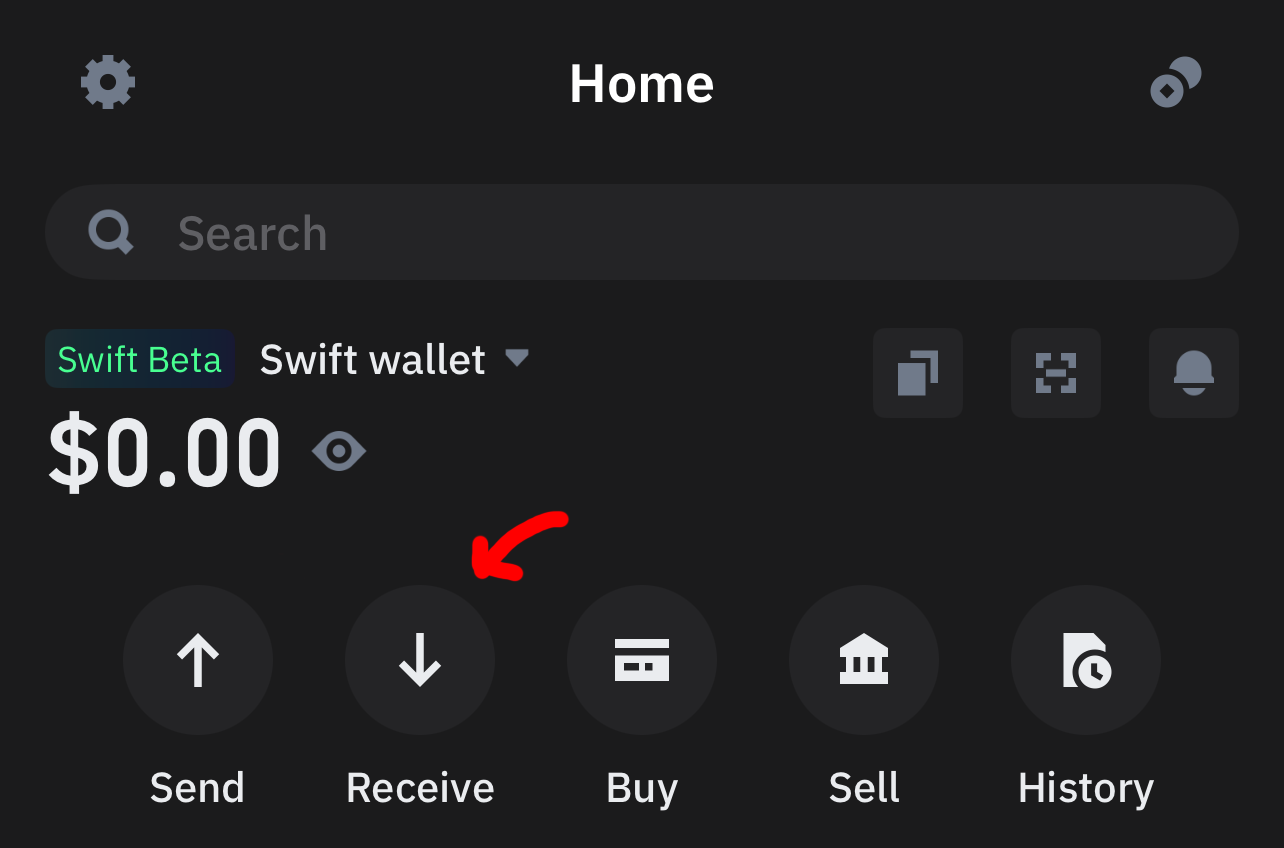
Tap the highlighted area to show your address. 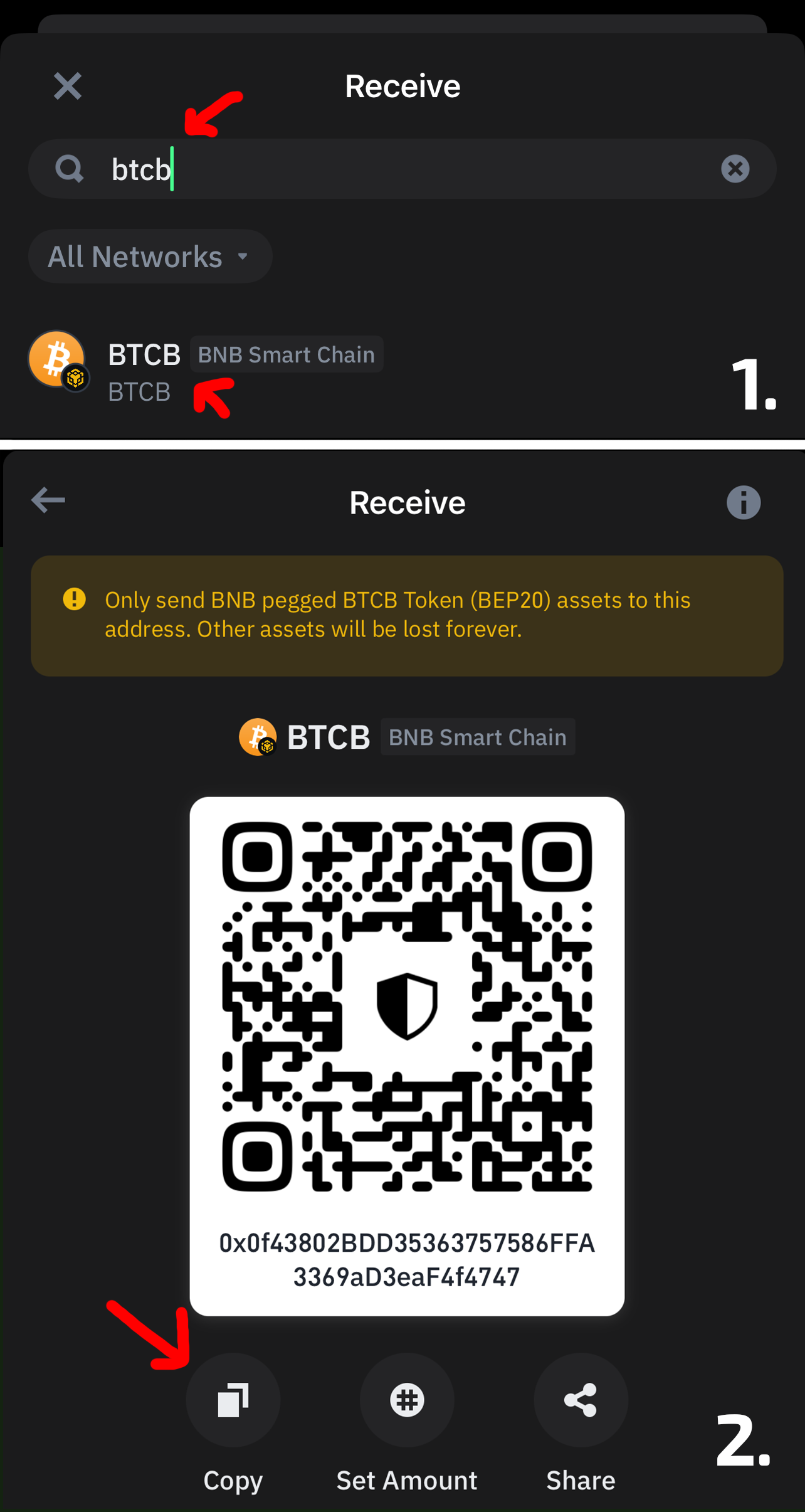
Follow the highlighted steps to reveal and copy your wallet address. This is the address your withdrawal goes to. Copy and paste it rather than typing it, so it’s exactly right.
- 3
Send it from CloudMineCrypto via BNB Smart Chain (BEP-20)
Screens from an earlier version of the app, so yours may look different. The balances shown are examples.
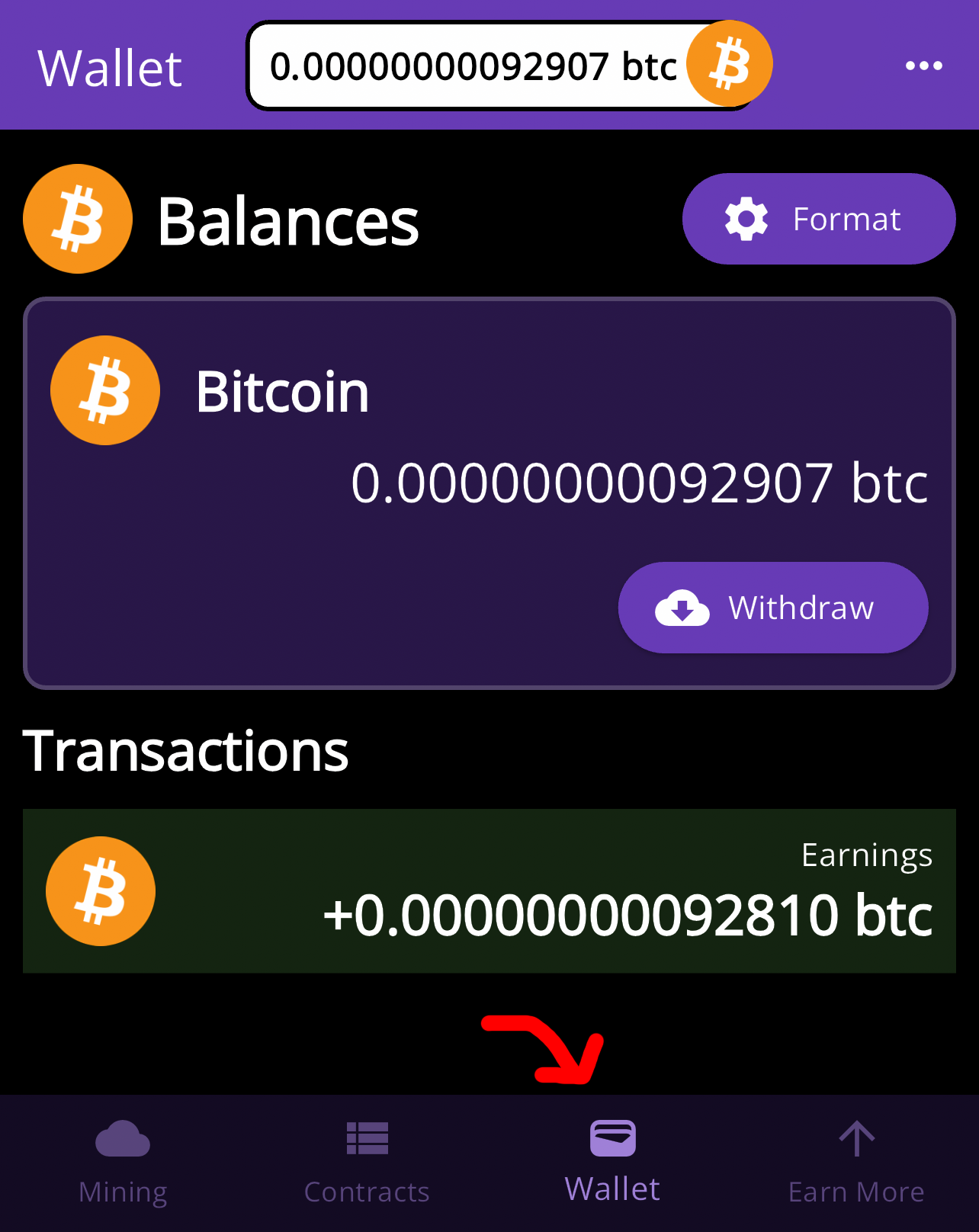
In the CloudMineCrypto app, open the Wallet tab. 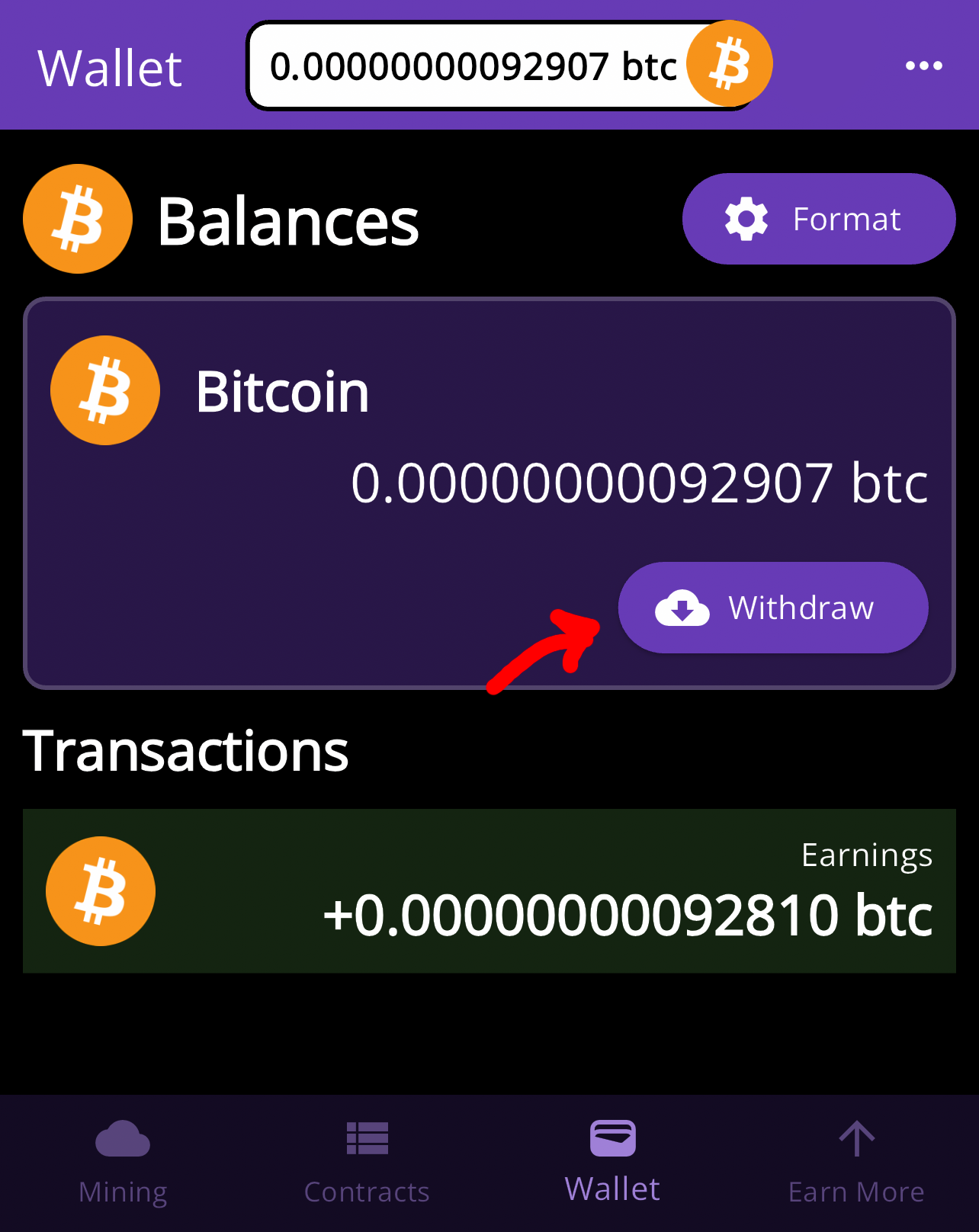
In the Wallet tab, tap Withdraw. 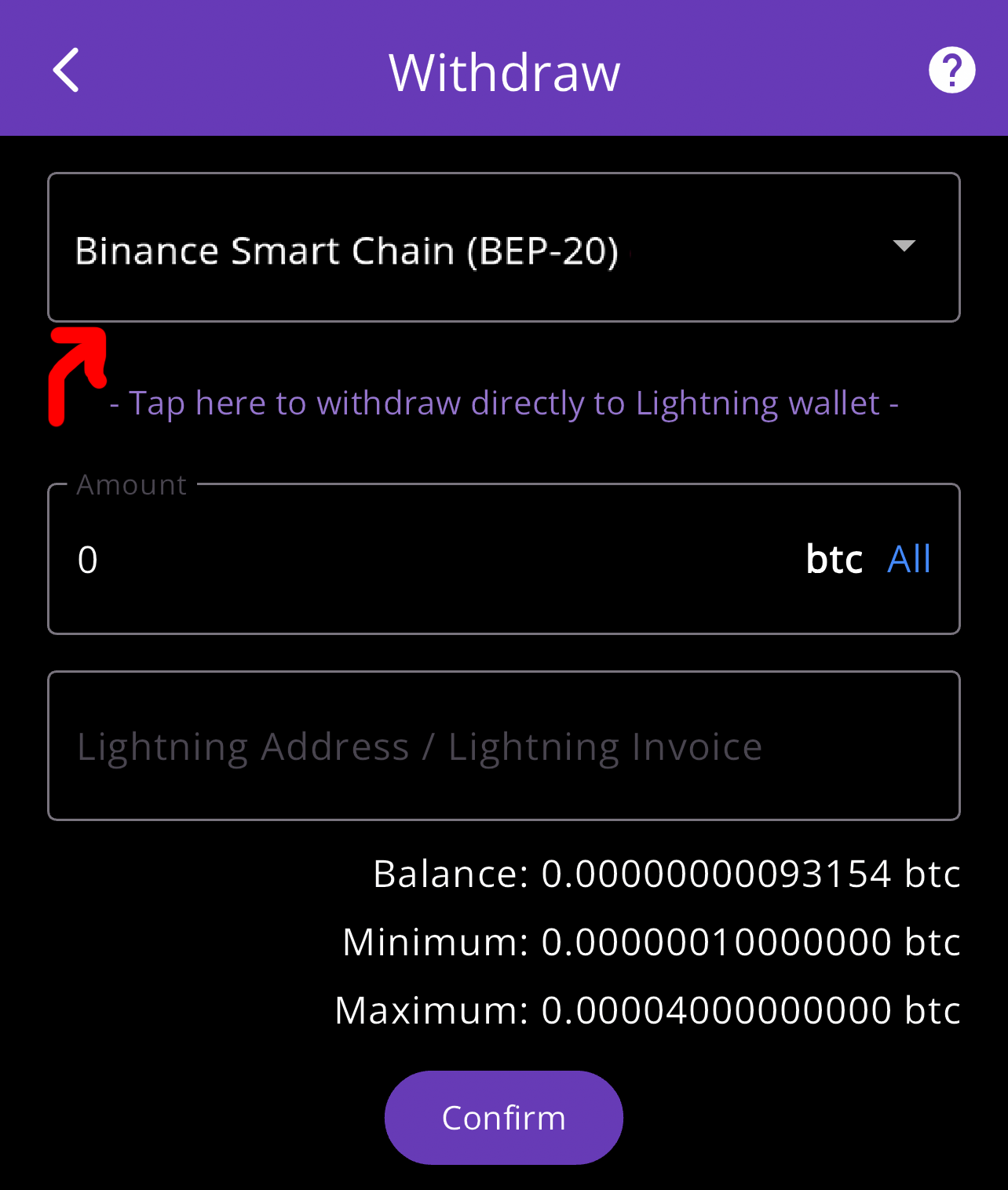
On the Withdraw screen, choose Binance Smart Chain (BEP-20) as the network. 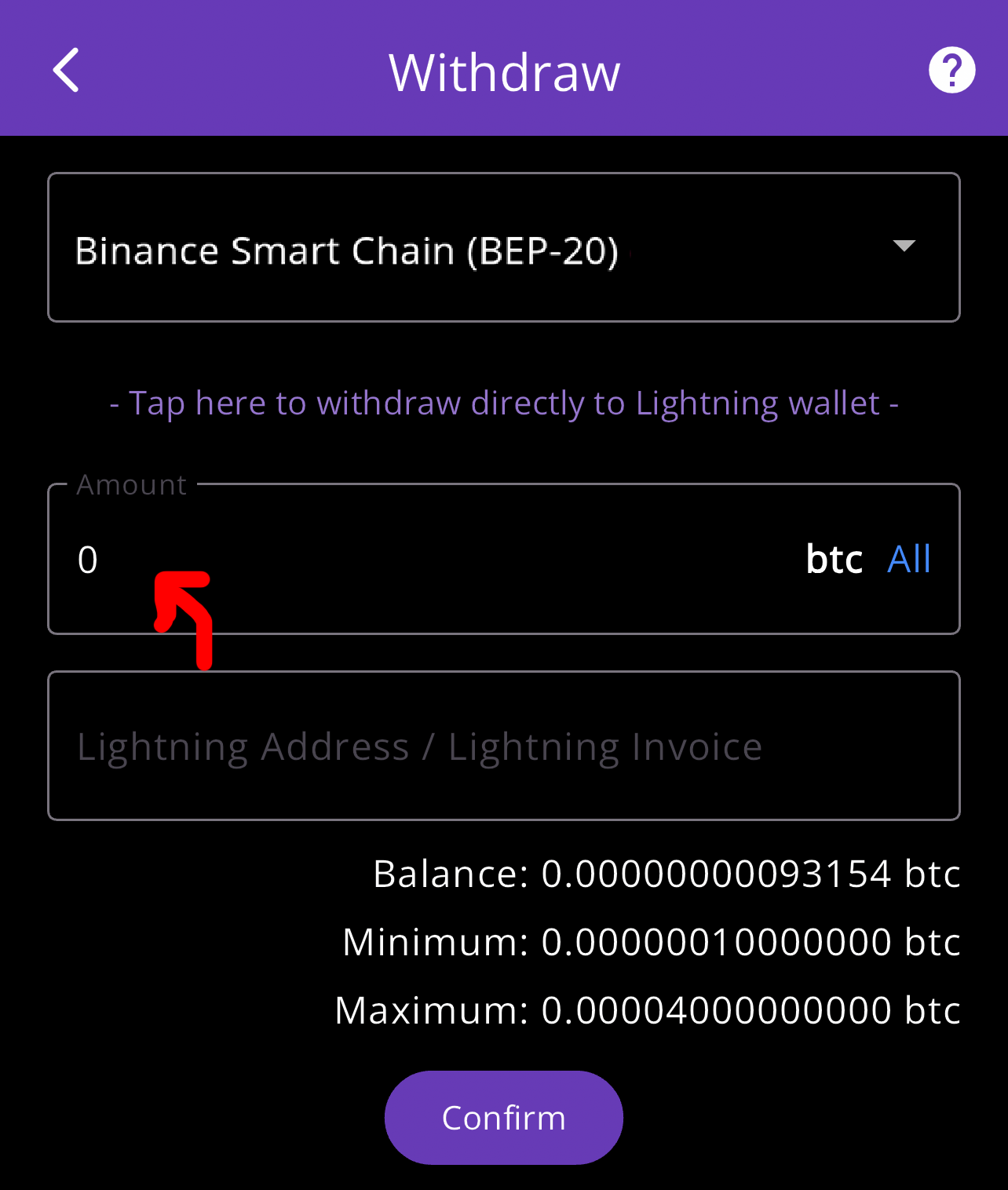
Enter the amount to withdraw. It has to be between the minimum and maximum shown under the field. 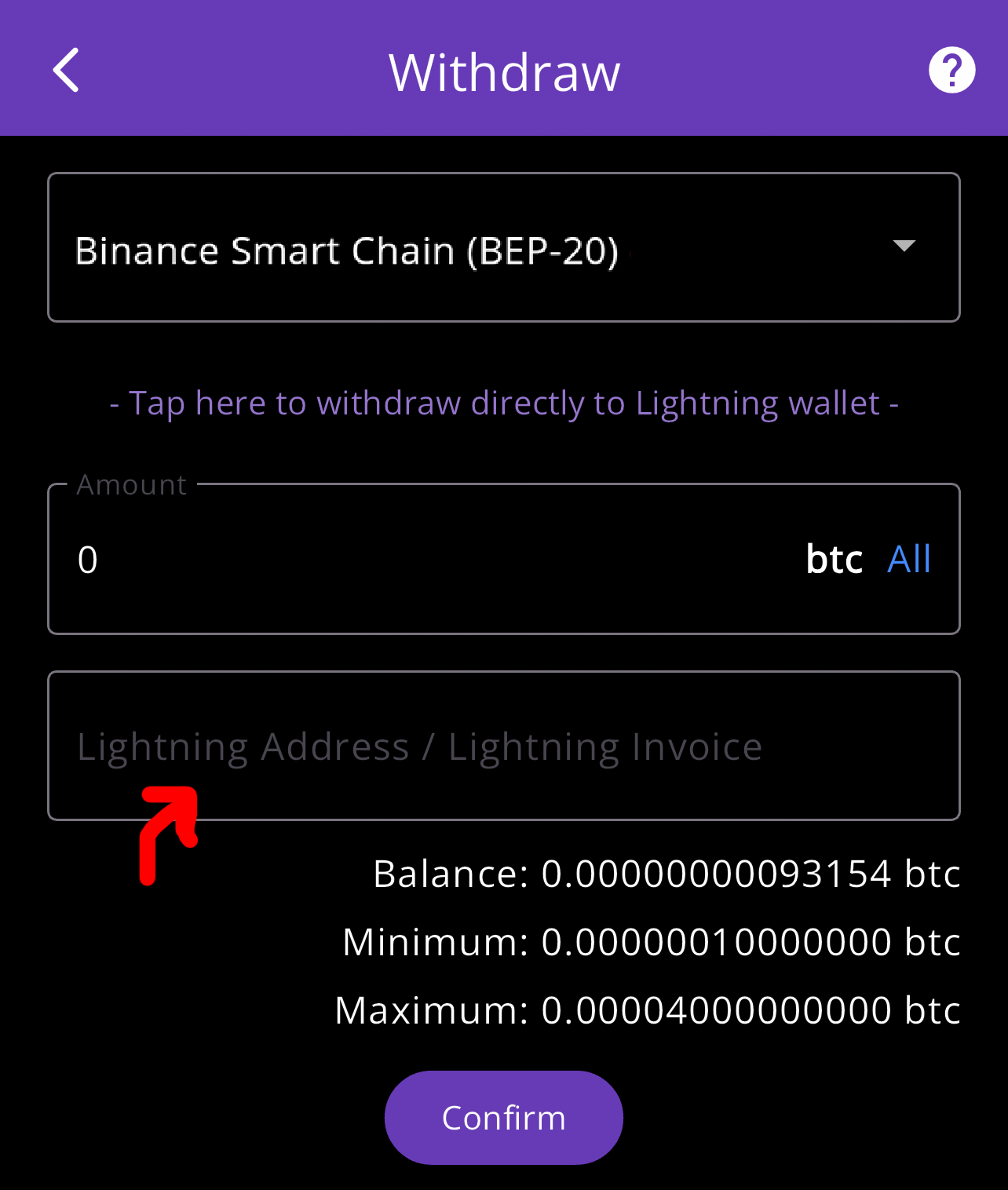
Paste the address you copied into the address field. Tap Confirm to submit your withdrawal request. It’s processed once validated (see “What happens after you confirm” below).
What should you select in Trust Wallet?
| In Trust Wallet | In CloudMineCrypto | |
|---|---|---|
| Screen | Receive | Wallet → Withdraw |
| Coin | Bitcoin (BTC) | Bitcoin (BTC) |
| Network | “BNB Smart Chain (BEP20)” or “BSC” for BTC | Binance Smart Chain (BEP-20) |
| What to copy / paste | a BNB Smart Chain address (starts with 0x) | Paste it into the address field |
Definition · BEP-20 BTC
Bitcoin represented as a BEP-20 token on BNB Smart Chain. It is not native bitcoin: it lives on BNB Smart Chain and can only be received at a BNB Smart Chain (0x…) address.
Trust Wallet must be set to BNB Smart Chain. BTC may not appear in your token list until you add or enable it, and moving it later from Trust Wallet needs a little BNB to pay the chain’s gas fee.
What happens after you confirm?
Your request is validated first. Most are processed automatically; some wait for a manual review (limits, anti-abuse checks or identity verification), which takes longer. Once sent, a BNB Smart Chain transfer usually arrives within minutes.
Why isn’t my BNB Smart Chain (BEP-20) withdrawal to Trust Wallet working?
- “Below minimum amount”: the minimum for BNB Smart Chain (BEP-20) is shown under the amount field (currently 0.00003106BTC). Lightning usually has a much lower minimum, if your destination supports it.
- “Invalid address”: copy it again from Trust Wallet and check it is a BNB Smart Chain address (starts with 0x).
- Balance not showing: make sure Trust Wallet is on BNB Smart Chain and that BTC is added to your token list.
- Received less than requested: the network fee (0.00001553BTC) is deducted from the amount sent. Compare amounts in the same unit (BTC vs sats).
- Email or login errors: verify your email from the button next to the error, or add a Google or Apple login.
Still stuck? Email [email protected] with the network, wallet and time of the request.
Other withdrawal guides
New to withdrawing? The complete withdrawal guide compares the networks and explains exchange vs self-custody wallets.
Frequently asked questions
How do I withdraw from CloudMineCrypto to Trust Wallet?
Copy your BNB Smart Chain (BEP-20) address from Trust Wallet, then in CloudMineCrypto open Wallet → Withdraw, select Binance Smart Chain (BEP-20), paste it, enter the amount and confirm.
What is the minimum BNB Smart Chain (BEP-20) withdrawal?
The minimum is currently 0.00003106 BTC (it can change with network conditions). The withdraw screen always shows the current minimum, maximum and fee before you confirm.
Which network should I select in Trust Wallet?
Select "BNB Smart Chain (BEP20)" or "BSC" for BTC. It must be the same network you choose in CloudMineCrypto, or the funds may be lost.
How long does a BNB Smart Chain (BEP-20) withdrawal to Trust Wallet take?
Most requests are processed automatically once validated; some need a review first. Once sent, BNB Smart Chain transfers usually arrive within minutes.
Is Trust Wallet affiliated with CloudMineCrypto?
No. Trust Wallet is an independent third-party wallet with its own terms, fees and availability. It is used here as an example destination.
Sources and further reading
- BEP-20 token standard · BNB Chain BEPs
- BNB Chain documentation · BNB Chain
- What to know about cryptocurrency and scams · US Federal Trade Commission
- Choose your Bitcoin wallet · bitcoin.org
- Secure your wallet · bitcoin.org
Live figures on this page come from the CloudMineCrypto API or from the public blockchain data services named next to them, refresh on a schedule, and are labelled where they appear. This guide is educational and not financial advice. CloudMineCrypto is not an investment product; rewards in the app are estimates and aren’t guaranteed.
You’ve read how it works. Now watch it happen.
Claim a free 8-hour mining plan in the CloudMineCrypto app and see your estimated BTC tick up from live network data. No hardware, no card.